


This article provides information about new features and improvements introduced in SmartPOS release version 3.29.
Production date: February 4, 2026
In addition to features listed below, the release also includes a number of stability improvements and fixes which do not extend the product functionality or change the user experience.
New features and improvements
- Promotion management
- Transaction amount rounding
- Alternative methods of House Account pay-in
- Fuel products moved to a separate screen
Promotion management
|
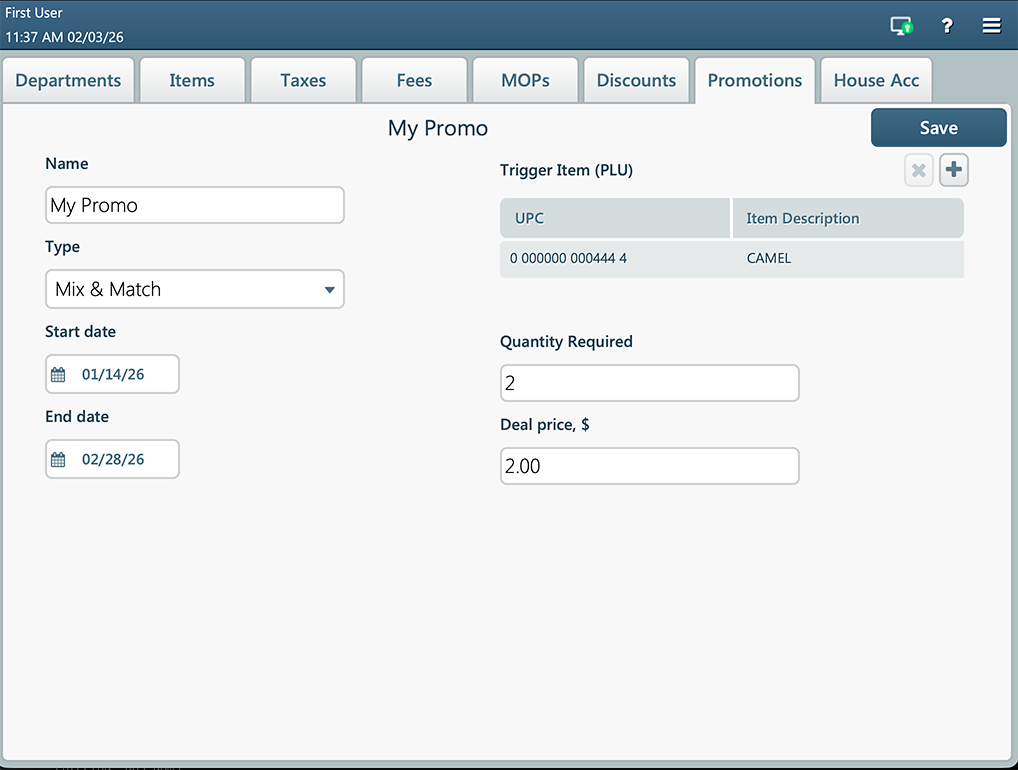
New feature. SmartPOS now allows to view and create promotions directly on the cash register. You can now view, create, edit and delete promotions directly in the SmartPOS Price Book interface. Both local and CStoreOffice® promotions are available on the Promotions tab.
The Promotions interface allows you to create Mix & Match promotions directly from the cash register. This allows you to group products together and offer discounts once a specific quantity threshold is met.
Promotions created on a cash register are not synchronized with CStoreOffice®. For details, read the Promotion management article. |

Transaction amount rounding
|
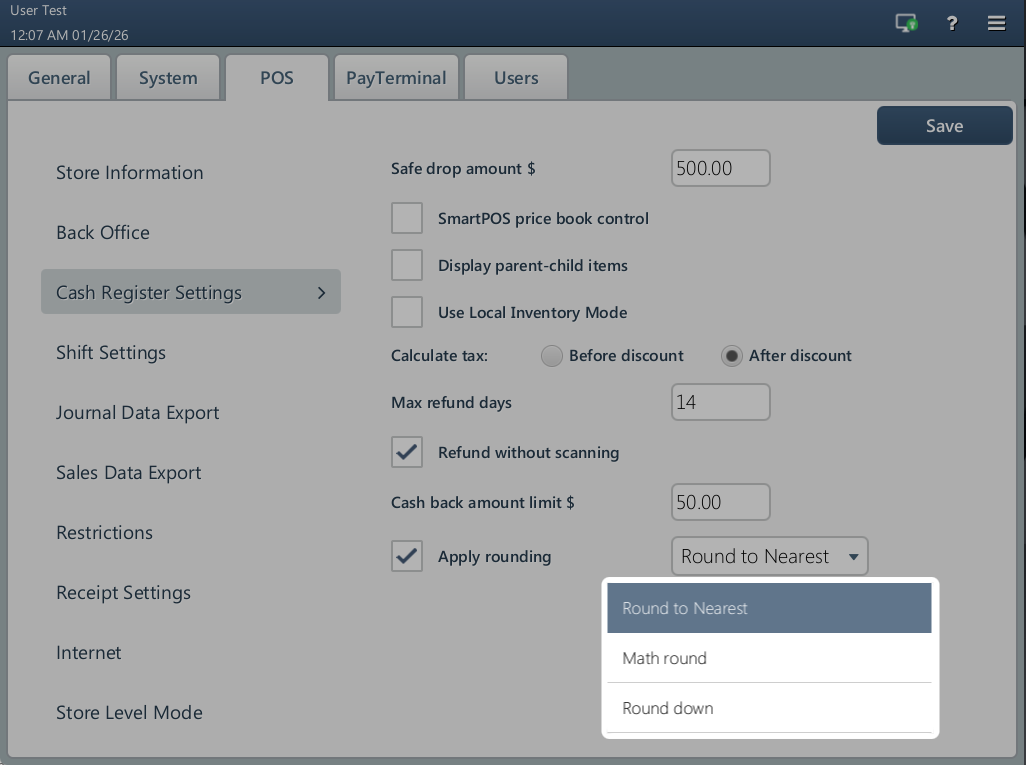
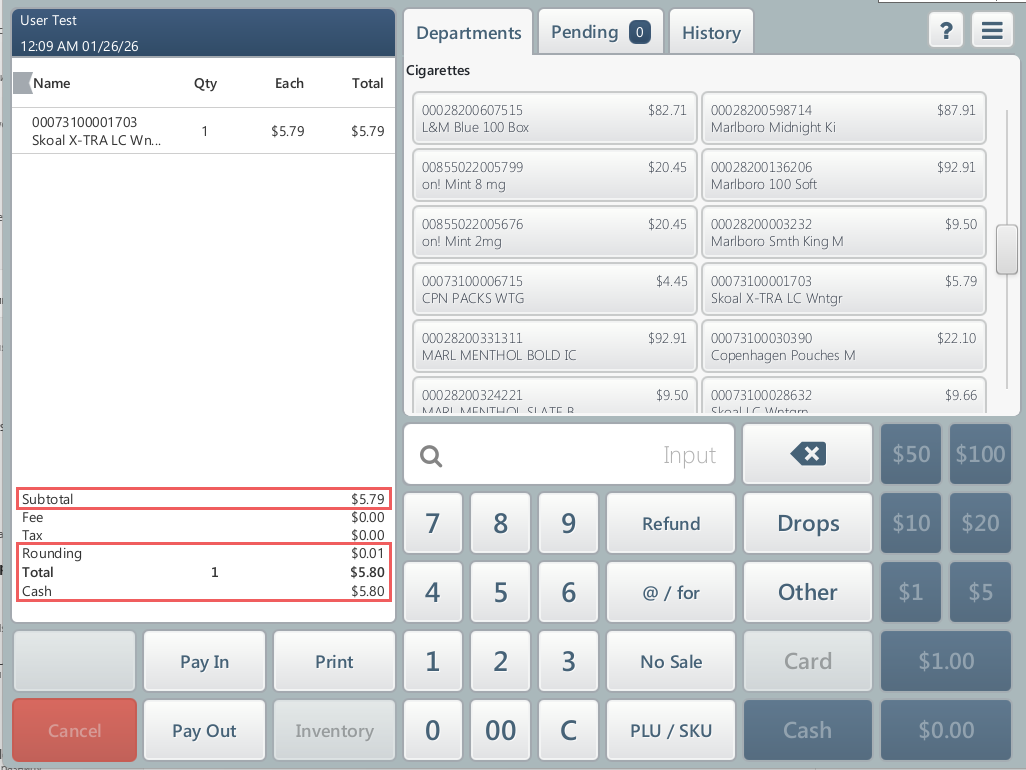
New feature. You can now configure cash rounding to comply with local cash-handling rules SmartPOS now supports configurable cash rounding to comply with local cash-handling rules. The rounding rule is configured under Cash Register Settings.
This function reduces the time spent counting small change and eliminate human error in manual rounding. Rounding adjustments are included in the cash register journal (PJR), displayed on receipts, and shown in the following CStoreOffice® reports as a separate line: The rounding only applies to cash payments.
For more information on rounding rules, read the Cash Register Settings article. |
Alternative methods of House Account pay-in
|
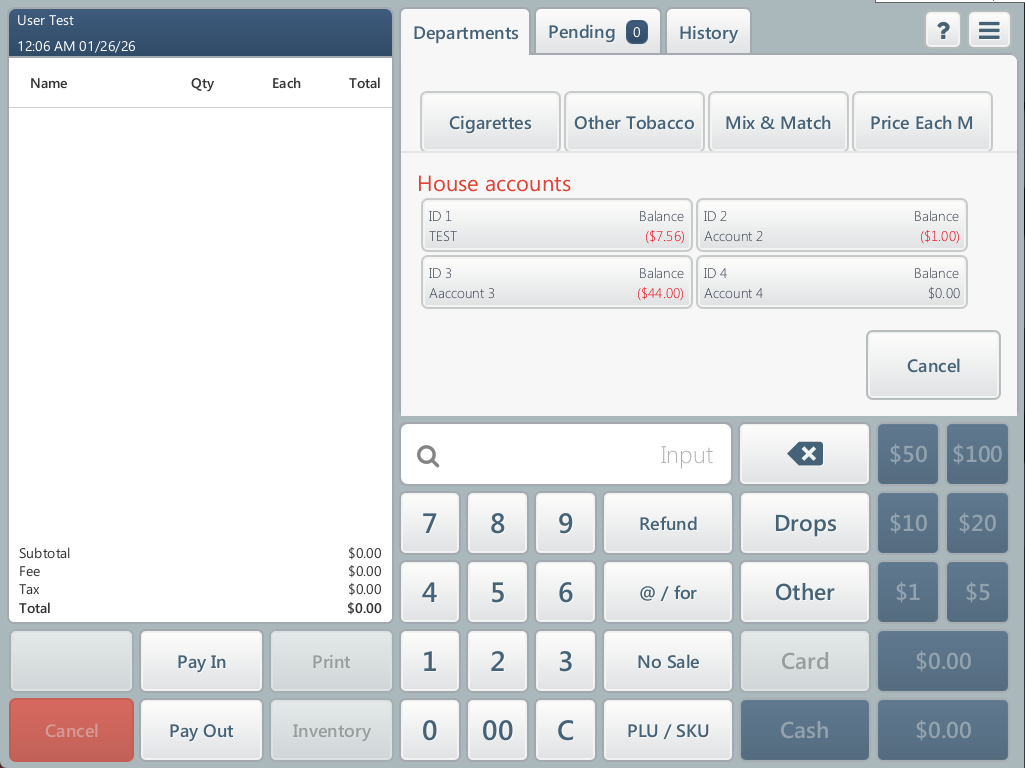
Enhancement. It is now possible to pay house accounts by a credit card and check. Cashiers can now select an alternative payment method when performing a House Account pay-in at the POS. In addition to cash (default), credit cards and checks are now supported.
Each pay-in is stored with its payment method in the House Account transaction history, included in the cash register journal (PJR), and shown the following CStoreOffice® reports:
The selected payment method is also printed on the customer receipt. |
Fuel products moved to a separate screen
|
Enhancement. The Fuel Products tab is moved from the Price Book to a separate screen. You can now access Fuel Products directly from the main SmartPOS swipe navigation rather than within the Price Book module.
This change optimizes the SmartPOS interface, ensuring all critical functions are easily visible and accessible on the screen. |


