This page is intended to inform Petrosoft customers about new Retail 360 release features and improvements. It contains overview of the new features and improvements with detailed information in the form of screen shots, links to the corresponding Petrosoft University Portal sections and videos.
The next release is planned for November 29, 2023. However, some of the improvements and fixes might be available earlier so that all customers could take advantage of the improvements and the ones who requested fixes could have their requests fulfilled.
Production: October 18, 2023
Release Sections
General
|
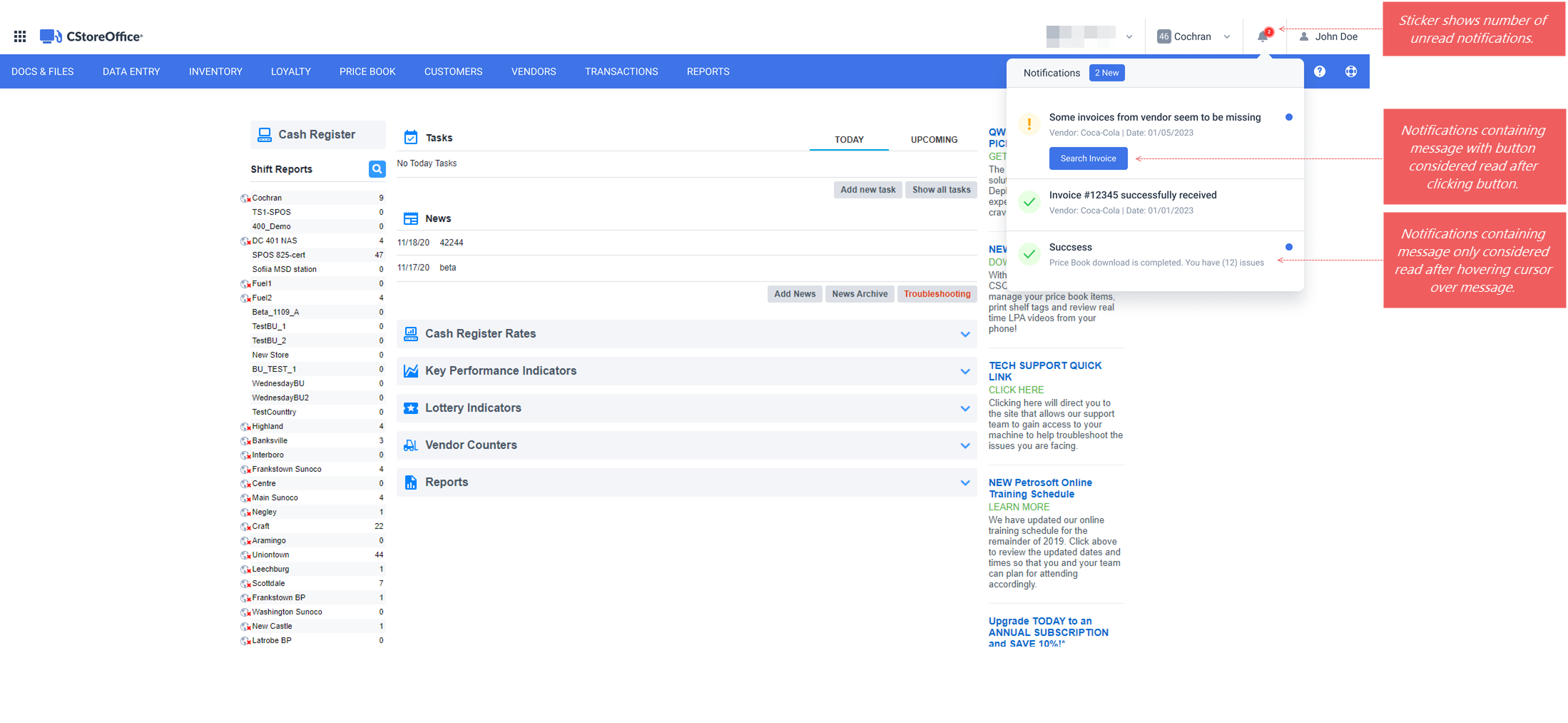
New! Notification Center informs an authorized user about events and prompts for actions in Retail 360. UI Changes:
|
|
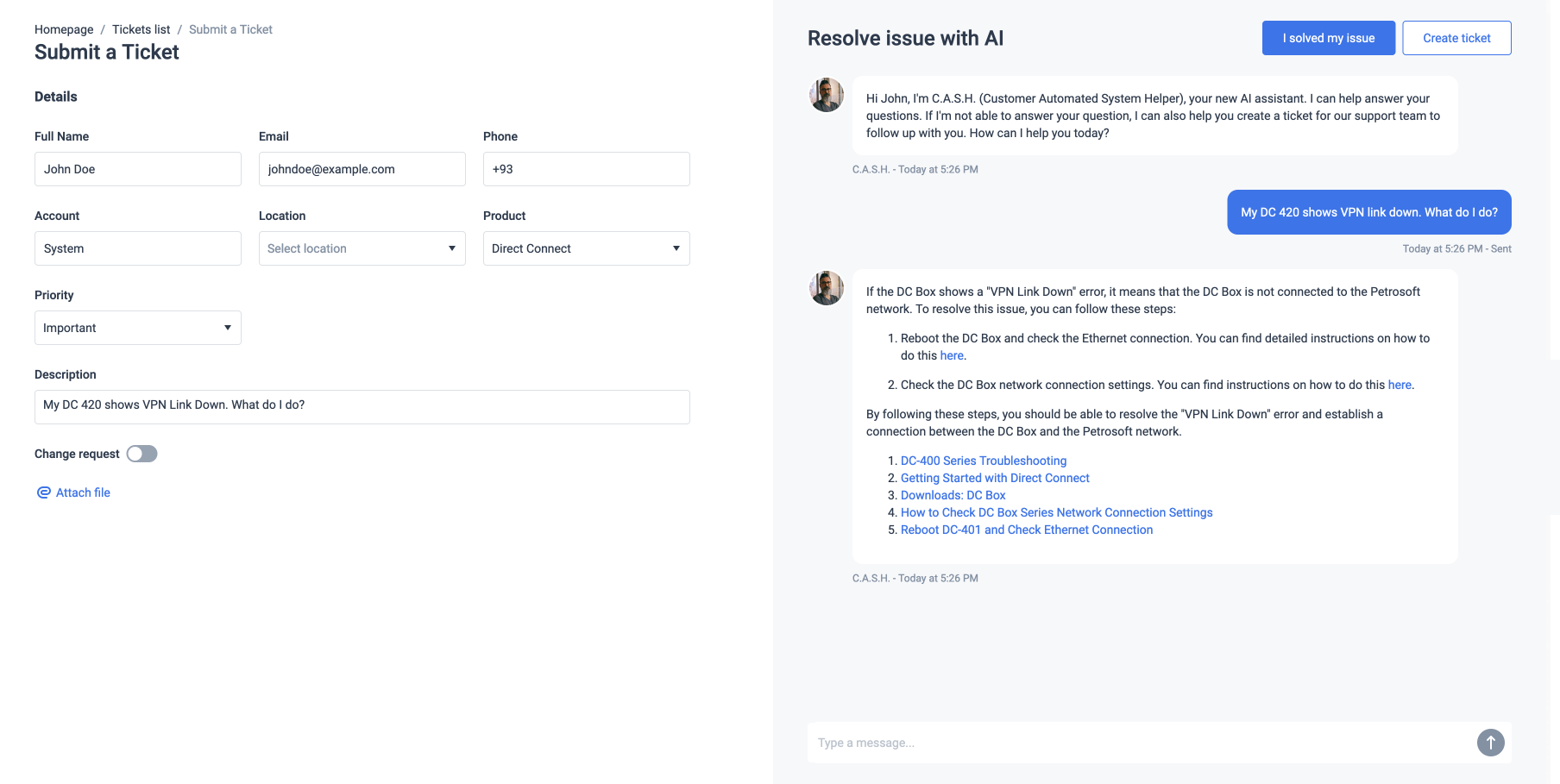
New! Customer Automated System Helper (C.A.S.H) is the Petrosoft AI helping the Retail 360 users to resolve issues online. UI Changes: The AI processes the issue description and provides information on possible ways to resolve the issue in the chat.
For details, see Submitting Tickets. |
EDI
|
New! Notifications about missing EDI invoices from a specific vendor for the current location in Retail 360. An EDI invoice is considered missing if it is not received in the expected time for the current location. The expected time is an average interval between the invoices from a specific vendor for the current location. UI Changes: Notifications about missing EDI invoices appear in the following places ofRetail 360:
|
|
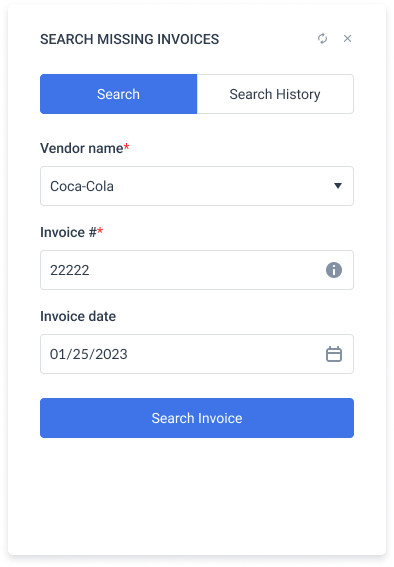
New! Use new Search Missing Invoices widget to search for missing EDI invoices. Where: Reports > Dashboards UI Changes: The Search Missing Invoices widget is a default widget on the Merchandise Orders dashboard. You can add this widget to any other dashboard in the Reports section.
For details, see Searching for Missing Invoices. |
Price Book
|
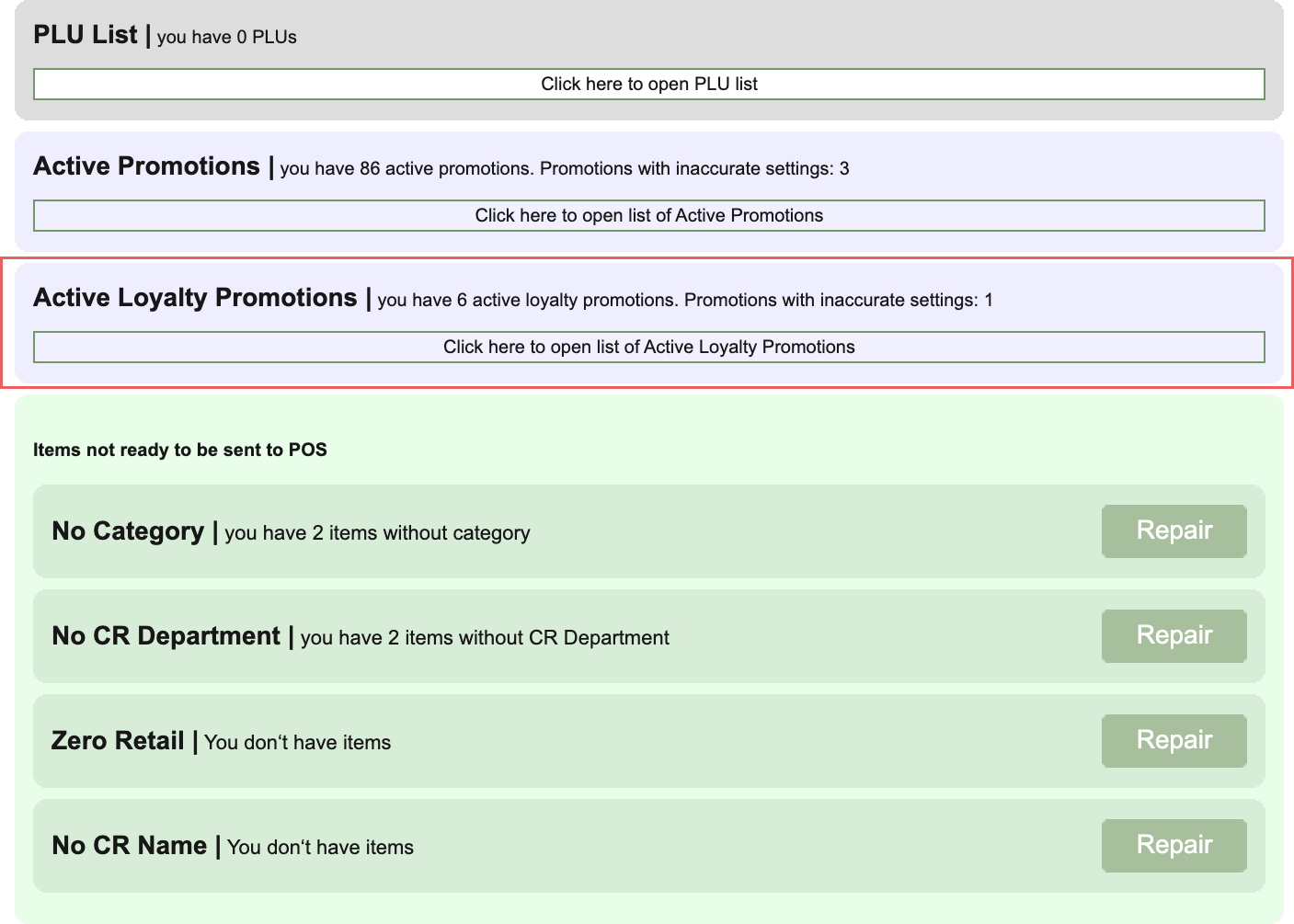
New! Active loyalty promotions are now displayed in Cash Register Updates Manager. Where: Retail 360 Home page > Items Updates > Cash Register Updates Manager UI Changes: A new Active Loyalty Promotions section is displayed on the Cash Register Updates Manager page.
For details, see CR Updates Manager Sections: Active Loyalty Promotions. |
|
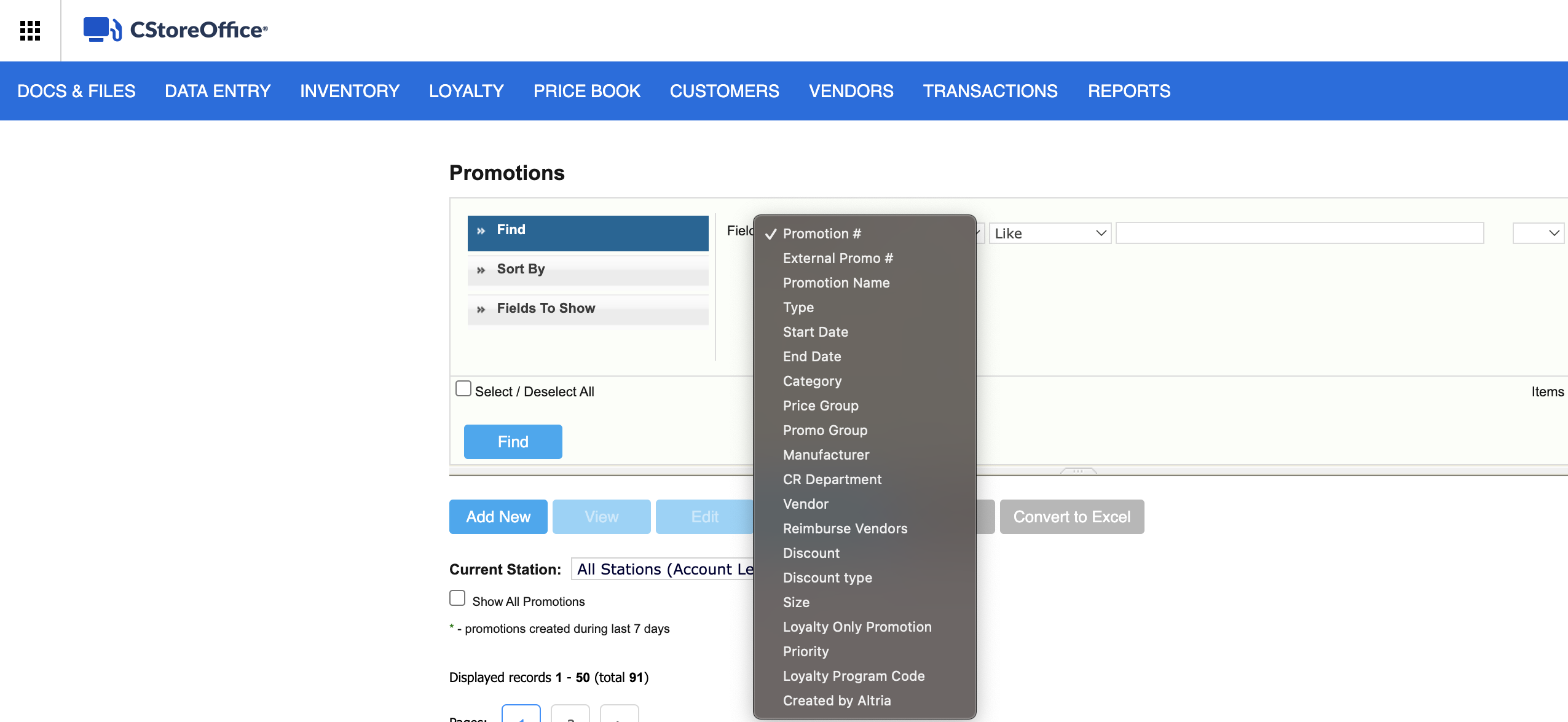
New! New fields are available as search criteria in the Find and Replace Tool for promotions. Where: Price Book > Promotions UI Changes: The following new values are available in the Field drop-down list:
For details, see CR Updates Manager Sections: Active Loyalty Promotions. |
Reports
|
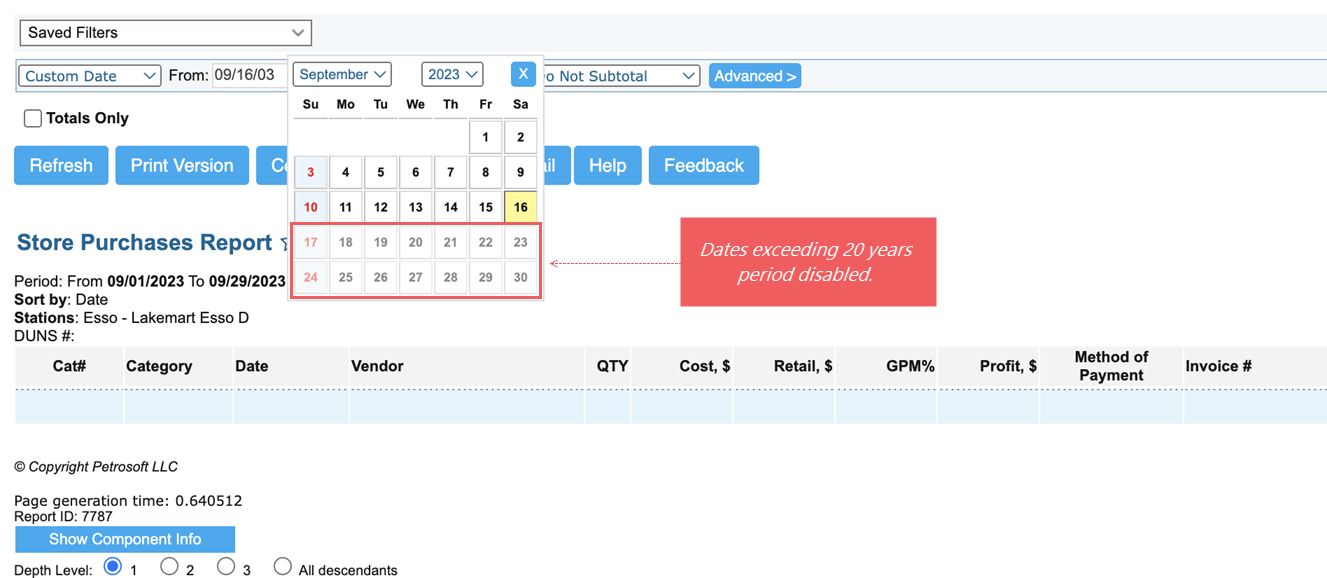
Improved! Maximum period for custom date is limited to 20 years for all Retail 360 reports. UI Changes: Dates exceeding a twenty-years period from the starting date are disabled in the calendar.
|
|
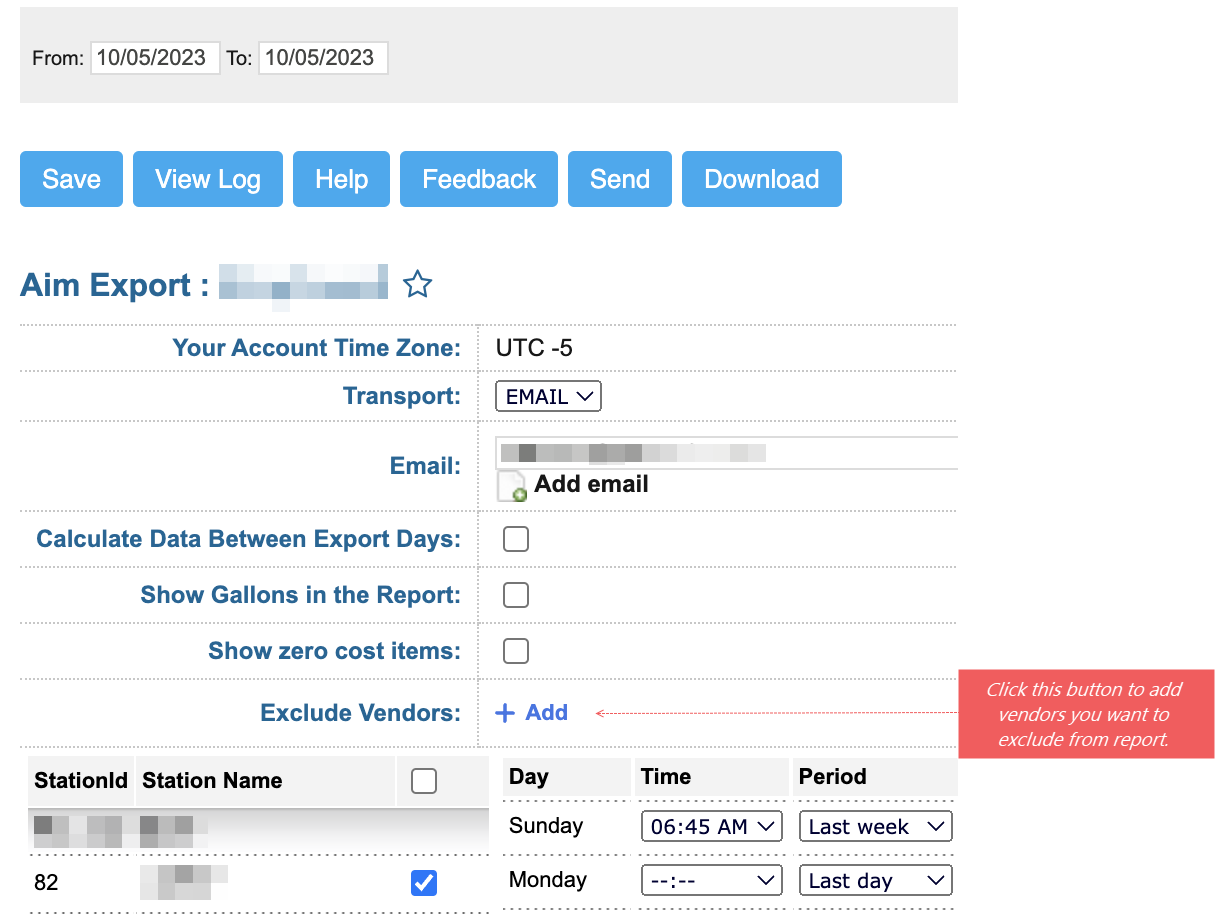
Improved! You can select vendors to be excluded from the Aim Export report. UI Changes: New Exclude Vendors field is present in the list of parameters on the Aim Export report page. This field is empty by default. Click Add to add vendors to be excluded from the report.
For details, see Aim Export Report. |