


The AI Assistant is integrated with your live store and device data. This allows you to perform technical diagnostics and retrieve account-specific information directly through the chat interface.
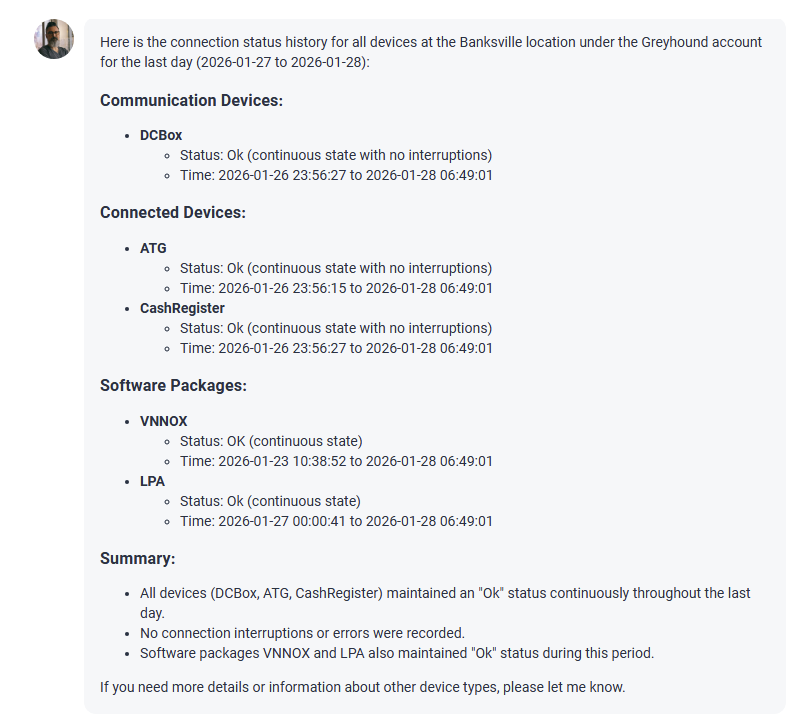
You can ask the assistant to retrieve or analyze the following information:
- Locations and settings:
- View a list of your available stores.
- Check currently configured the Cash Register and Misc settings.
- Hardware and devices:
- Identify installed hardware (DC Box, Cash Register, ATG, and so on) at a specific location.
- View configuration parameters for installed devices.
- Check current connection statuses (Online/Offline) and view connection history.
- Shift management:
- Retrieve lists of pending or accepted shifts for any site.
- Identify and analyze the root causes of missing shifts.
- Receive automated recommendations on how to resolve shift-related issues.
To ensure data security, the AI assistant only retrieves information you are authorized to view.
Requesting details and analyze data
Sometimes a quick answer is not enough, especially when you want to be 100% sure your store data is correct. If you need more certainty, AI Assistant can perform a deep analysis to look for hidden issues.
Detailed analysis is only available for troubleshooting missing shifts.
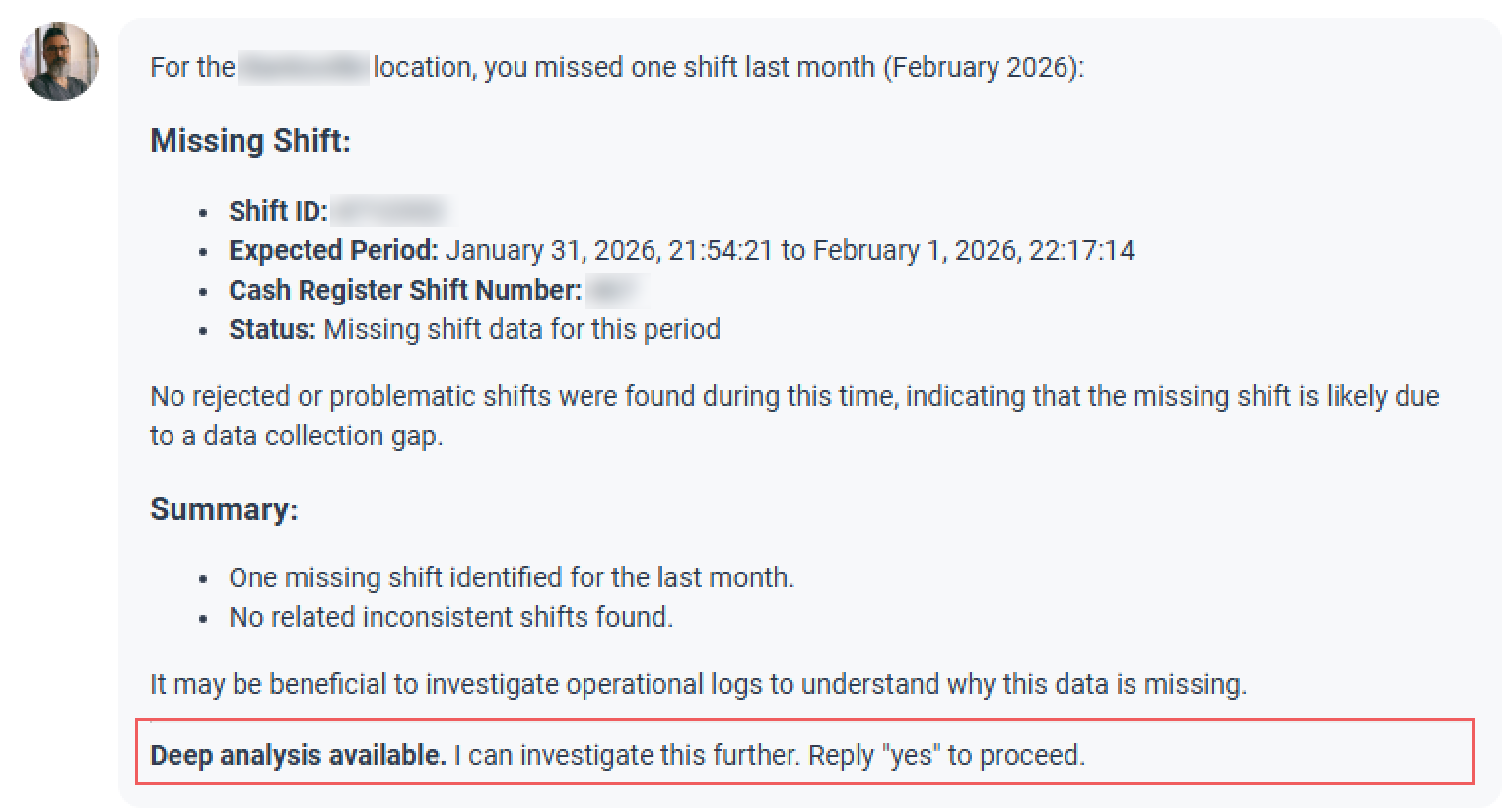
- Ask a simple question. For example, "Did I miss any shifts last month?"
- Confirm the investigation: If the AI Assistant does not see any immediate problems, it will offer to investigate further ("Deep analysis available"). Simply reply "Yes" to start.
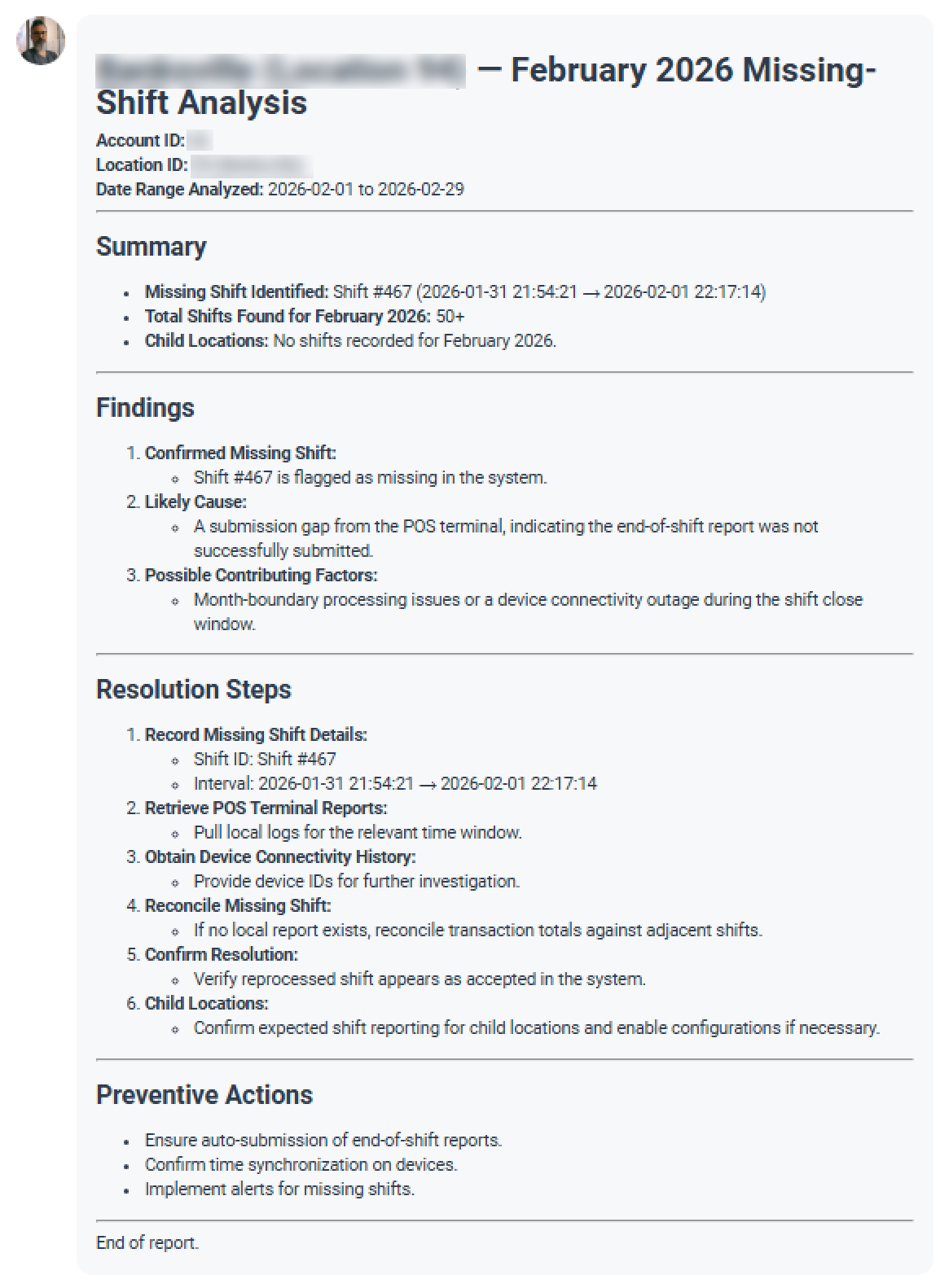
- The assistant generates a comprehensive report that includes:
- Verified findings: Total number of processed records. For example, "58 shifts retrieved and accepted").
- Granular details: For example, check for small gaps in timing between shifts.
- Data integrity check: Confirm that there are no anomalies or reporting gaps.
- Clear conclusion: A final statement on whether any further action is required from your side.
Due to the complexity of shift reconciliation, data analysis may take a considerable amount of time. Please allow a few minutes for the results to populate.
This feature gives you peace of mind that your records are complete without you having to manually check every single day on the calendar.
Sample prompts to try
- List all my stores.
- What devices are currently installed at {store name}?
- Was my DC Box at {store name} offline for the last 24 hours?
- What are the configuration parameters for the ATG at {store name}?
- Show me a list of pending shifts for {store name}.
- List all accepted shifts from the past week for {store name}.
- Did I miss any shifts last month?


