


In the Cash Register Settings section, you can configure the following base MOPs:
- Paid In
- Credit Card
- Other Card
- No Pos
- House Account
- Coupons
- Cash
- FS
- ATM
You can configure the following settings for base MOPs in this section:
- To forbid the user the MOP editing and hide this MOP from the Base MOPs list in the MOP Mapping form, select relevant Deny Edit [MOP Name] (Y/N) option and at the bottom left of the form, click Save.
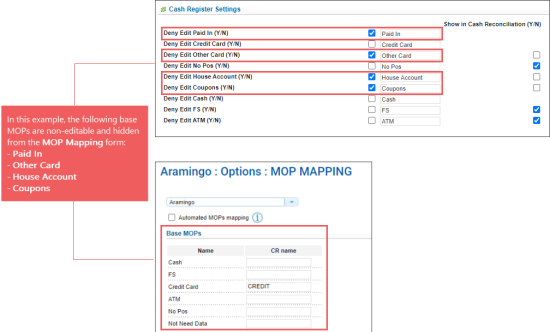
For more information on how to work with Base MOPs, see Base MOPs.
- To display or hide the base MOPs from the Cash Reconciliation form, select or clear relevant check-box in the Show in Cash Reconciliation (Y/N) column correspondingly.
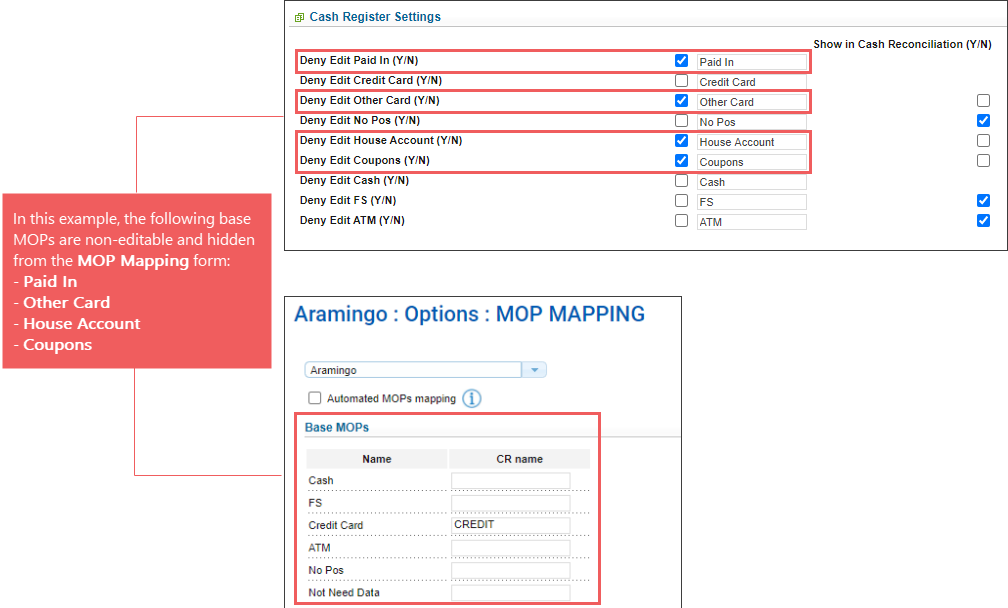
For the House Account method of payment, the Show in Cash Reconciliation (Y/N) option is selected by default.


