- Click any transaction in the Video Journal timeline to open the record.
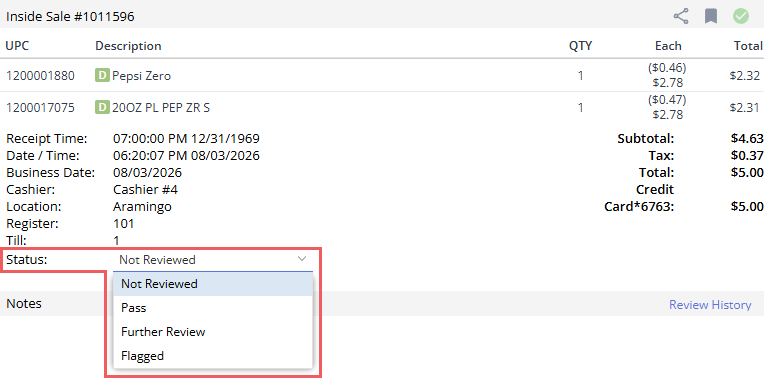
- Select the status from the dropdown.
- Not Reviewed: Automatically assigned to all new risk transactions upon creation. It indicates that the transaction is in the queue and has not yet been evaluated by a Loss Prevention manager.
- Pass: Marks the transaction as reviewed and verified as normal, legitimate, and compliant with operational policies.
- Further Review: Indicates that the transaction is ambiguous, suspicious, or requires escalation and additional verification (such as manager review or store follow-up) before a final decision can be made.
- Flagged: Marks the transaction as strongly suspected to be non-compliant, fraudulent, or in violation of company loss prevention policies.
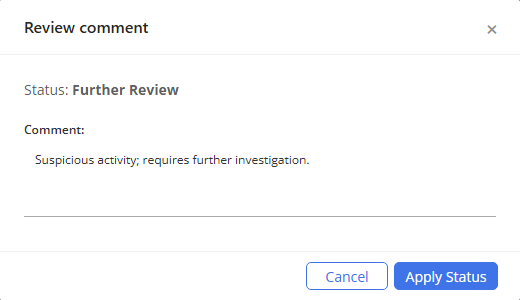
- If you mark a transaction as Further Review or Flagged, provide a mandatory comment explaining the reason or policy breach.
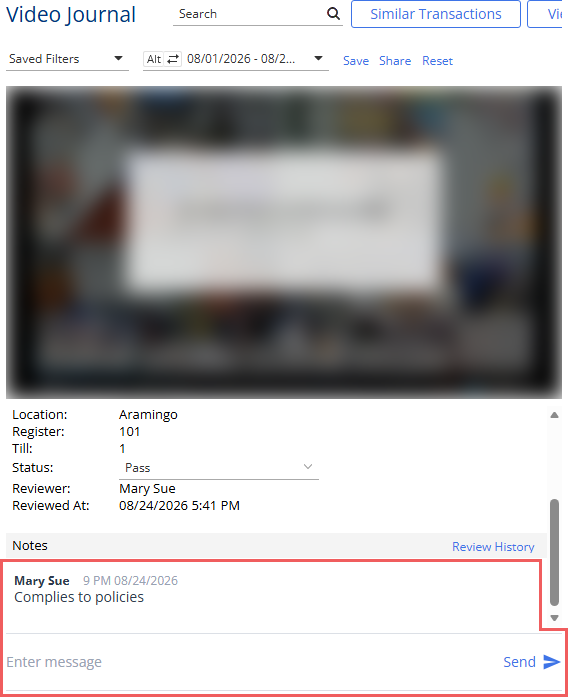
- If necessary, provide additional details in the explaining the reason for your status selection in the Notes field and click the Send button.
The following statuses are supported:
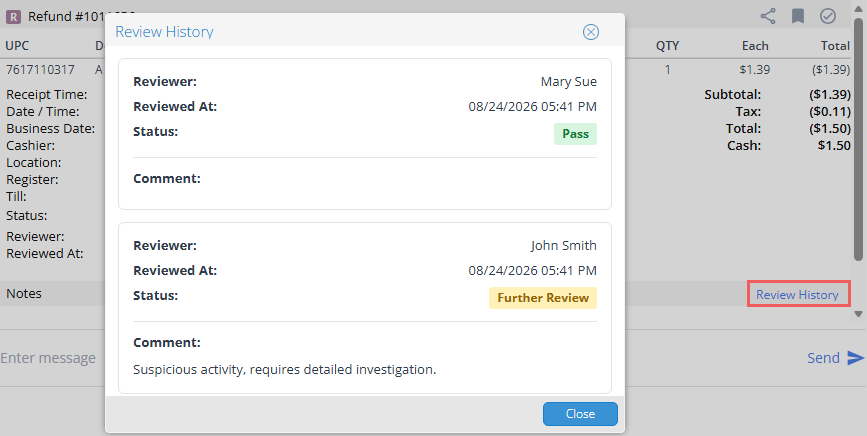
You can change the transaction review status at any time, regardless of the current status. The complete history of transaction status changes is recorded in the system audit log and can be accessed by clicking the Review History link in the transaction card.